So this is a very niche post, and will probably only affect a tiny % of people who use AdWords.
But… if you’re one of these people who has experienced this problem, then it may help.
Recently I added a new account to my MCC, as I do often, but this time the account kept opening in AdWords Express.
I thought it might just be an accident, but each time I opened it, up came Express.
I should really call up Google and see if they can fix it. But right now things are hectic, so here’s a workaround I’ve used – and you could too if this affects you.
So here’s what I get when opening the account.
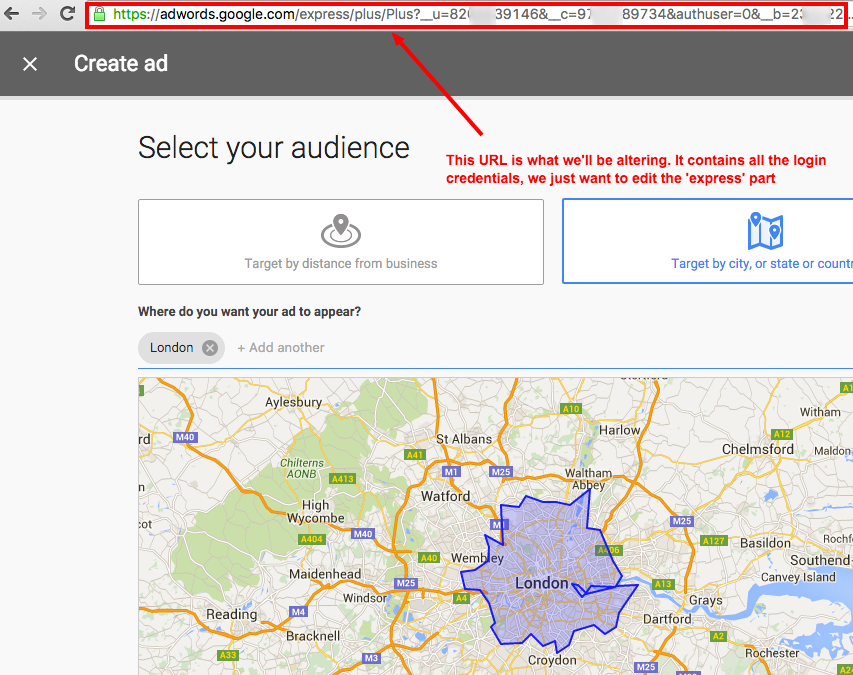
What you can then do, is to take a normal AdWords URL:

And then transplant that over this section of the Express URL (keeping the rest the same):

This will then take you into the normal AdWords interface. Done!

Leave a Reply