Category: eCommerce

  • Amazon Keywords (Backend) – How to Optimize

    Amazon Keywords (Backend) – How to Optimize

    Amazon backend keywords provides up to 5,000 characters to customize. But how best to use them?
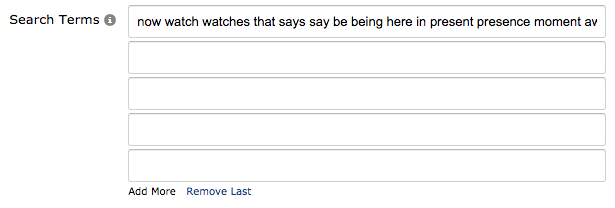
    Backend keywords

    What you don’t want to do, is to think of these backend keywords like the old <meta> keyword tags in HTML, and just try stuffing everything you can think of into them.

    You want to ensure your main Amazon keywords are in at least your product name, features (bullet points) or description

    Especially your money keywords. For example, if you sold garlic presses, you’d want to prioritize putting popular keywords like ‘garlic press’, ‘garlic mincer’ and ‘garlic squeezer’ into your listing.

    At which point, the backend keywords should be for any keywords you don’t have in your listing. There’s no need for duplicates.

    Amazon explains this via the help section of their site:

    Amazon Backend Keywords - Explanation for usage
    Amazon’s take on backend keywords – see more


  • New Facebook Pixel & Shopify – How to Setup Conversion Tracking

    New Facebook Pixel & Shopify – How to Setup Conversion Tracking

    Edit: When I first wrote this article, it was necessary to manually implement the Facebook tracking pixels. However, since then, Shopify has made the process really simple!

    You can simply take your Facebook pixel ID, and paste it into the Shopify Admin.

    The section you’re looking for is currently located at Sales ChannelsOnline StorePreferences. Scroll down to this section and paste your pixel ID in:

    Screen Shot 2016-07-29 at 16.23.44

    Shopify’s article has more information on the process, and how their implementation works!

    Old Article:

    Implementing Facebook’s new tracking pixel on your Shopify store is relatively straightforward, like anything, once you know how.

    (more…)

  • How to setup Bing Revenue and Conversion Tracking in Shopify (Updated for 2018)

    How to setup Bing Revenue and Conversion Tracking in Shopify (Updated for 2018)

    Recently I setup Bing Product ads for a client and was blown away by the performance. Conversions at 1/6 cost of Google Shopping! If you use Google Shopping in the US, and you’re not currently running Bing product ads, I recommend you test them out. (more…)

  • Track Instagram Referrals to your Shopify site in Google Analytics

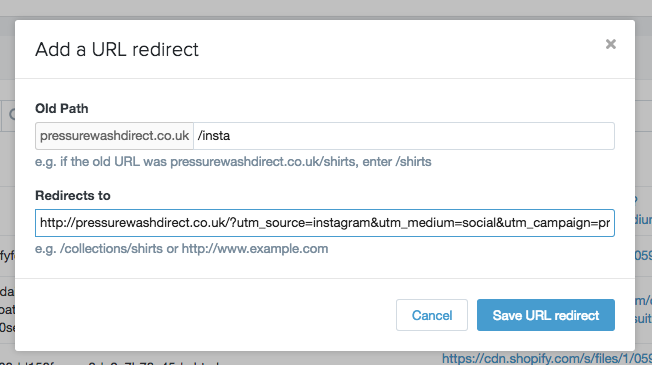
    Track Instagram Referrals to your Shopify site in Google Analytics

    You may have noticed traffic from Instagram isn’t showing up (as much as it should) within your Google Analytics reports.

    This is because Instagram on the phone doesn’t open profile links natively, instead it passes them to your browser, which opens them directly.

    The result being that this traffic appears in GA under ‘direct referrals’ – with no attribution towards Instagram.

    Fortunately, there’s a way round this.
    (more…)

  • How to setup AdWords Dynamic Remarketing for Shopify

    How to setup AdWords Dynamic Remarketing for Shopify

    Google Shopping is dynamite for eCommerce. For many Shopify stores its their top performing traffic source. However if you’re running Shopping and not running dynamic remarketing… you’re missing out! (more…)