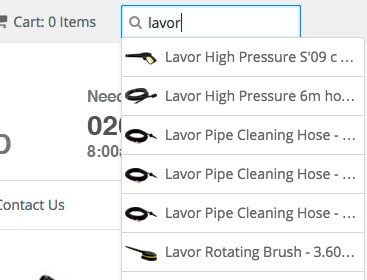
By default, the shopify site search functionality is nothing to write home about. There’s no autocomplete on the search bar, and the search results look somewhat basic.
Contract this with BigCommerce’s out of the box autocomplete and auto-suggestion functionality… and Shopify appears a bit behind the times.
If you think about some of the top sites on the internet; Google, YouTube, Facebook, Amazon etc. – they all major on search functionality – and for good reason.
But the good news is that with a couple small tweaks you can improve Shopify’s search functionality.
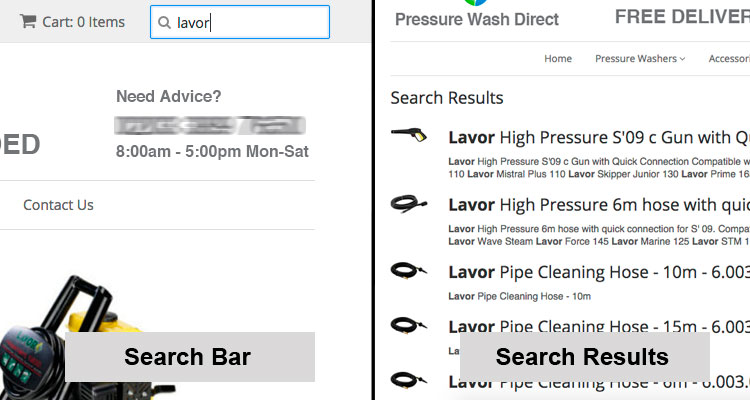
Taking it from this:
To this:
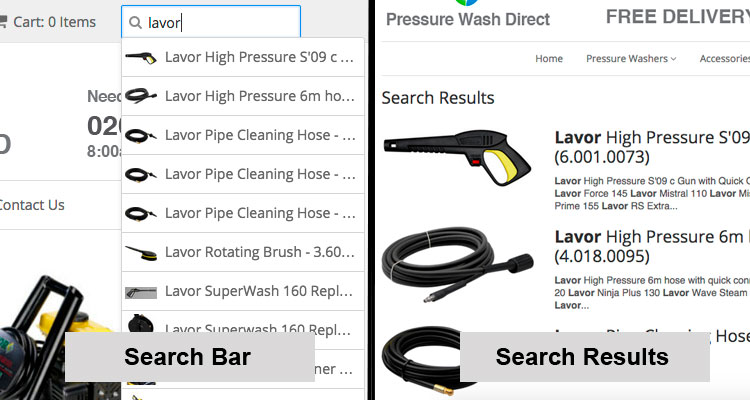
Ok, so maybe it’s not transformational, but I think its a step in the right direction.
There are two different elements to this.
1) The first is setting up autocomplete for the search bar. This comes from a Shopify tutorial found here. It’s a simple process, but let me know in the comments if you run into problems.
2) The second step is increasing the image size on the search results. Granted each template varies, so it’s possible you don’t need to do this.
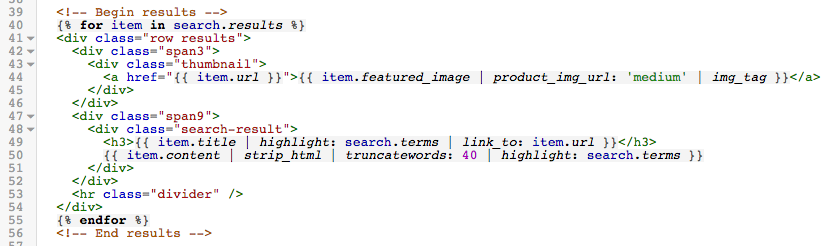
Log into your Shopify site and visit Themes > Edit HTML/CSS. Then in the nav bar on the left look under ‘Templates’ for search.liquid. Then look for some code such as the below:
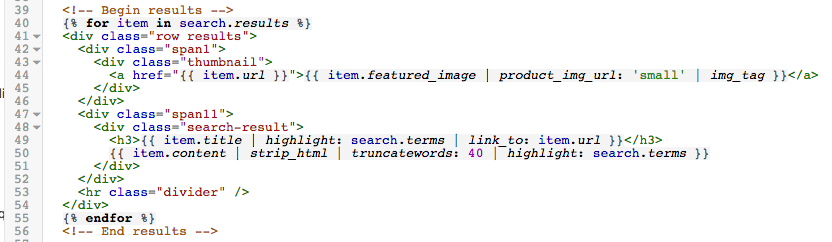
To increase the image size we want to adjust the grid partitioning. Taking it from 1 and 11, to 3 and 12. Then we want to change the image size from ‘small’ to ‘medium’. See the image below for the result:
So that’s it. A couple small, but important improvements.


Leave a Reply