Adding Autocomplete to the Shopify Search Bar & Improving the Results Page

By default, the shopify site search functionality is nothing to write home about. There’s no autocomplete on the search bar, and the search results look somewhat basic.

Contract this with BigCommerce’s out of the box autocomplete and auto-suggestion functionality… and Shopify appears a bit behind the times.

If you think about some of the top sites on the internet; Google, YouTube, Facebook, Amazon etc. – they all major on search functionality – and for good reason.

But the good news is that with a couple small tweaks you can improve Shopify’s search functionality.

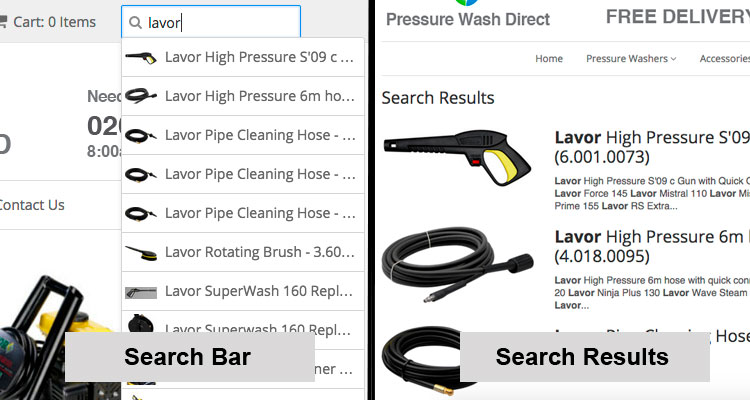
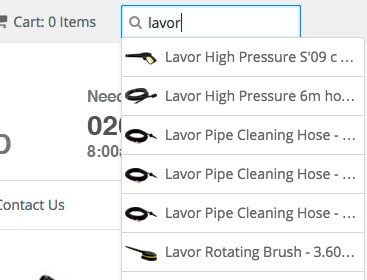
Taking it from this:
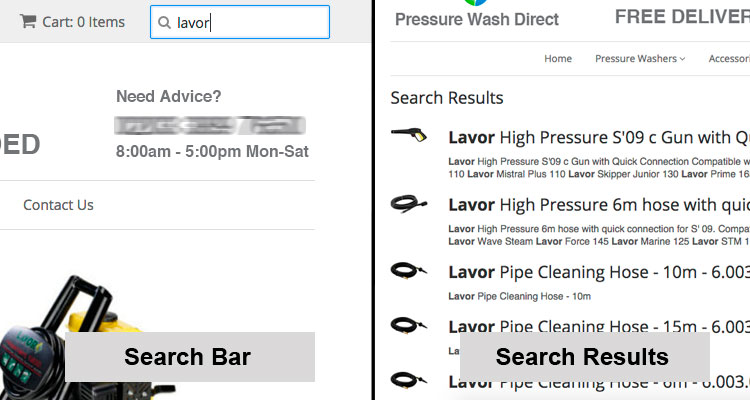
improving-shopify-search-bar-and-results-page-before2

To this:

improving-shopify-search-bar-and-results-page-after2

Ok, so maybe it’s not transformational, but I think its a step in the right direction.

There are two different elements to this.

1) The first is setting up autocomplete for the search bar. This comes from a Shopify tutorial found here. It’s a simple process, but let me know in the comments if you run into problems.

2) The second step is increasing the image size on the search results. Granted each template varies, so it’s possible you don’t need to do this.

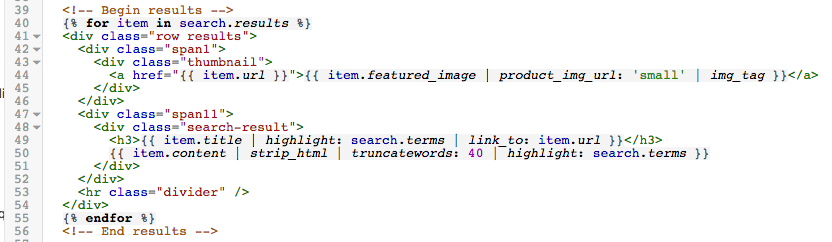
Log into your Shopify site and visit Themes > Edit HTML/CSS. Then in the nav bar on the left look under ‘Templates’ for search.liquid. Then look for some code such as the below:
search-template-before2

To increase the image size we want to adjust the grid partitioning. Taking it from 1 and 11, to 3 and 12. Then we want to change the image size from ‘small’ to ‘medium’. See the image below for the result:
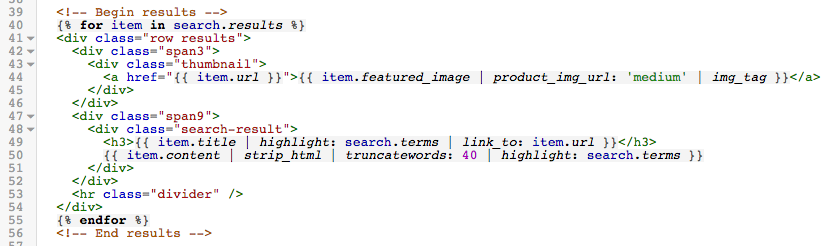
search-template-after2

So that’s it. A couple small, but important improvements.

Comments

7 responses to “Adding Autocomplete to the Shopify Search Bar & Improving the Results Page”

  1. Denille Gibson Avatar
    Denille Gibson

    Hi, I’ve followed the shopify tutorial and the autocomplete search works by displaying the image of the search but without the product title. Could you help me understand why this seems to be happening?

    1. John King Avatar

      Hi Denille,

      Its possible this relates the setup of your theme.

      Which means that the problem could be any number of things. And would need someone to take a look at the code and debug it.

      Apologies I can’t help more.

  2. Guruprashad Singh Minhas Avatar
    Guruprashad Singh Minhas

    Hi, I have done changes are per https://help.shopify.com/themes/customization/store/enable-autocomplete-for-search-boxes, but I am not able to see the search box on my site milkteeth.in.

    1. Guruprashad Singh Minhas Avatar
      Guruprashad Singh Minhas

      Got it .!

  3. Adar Greenshpon Avatar
    Adar Greenshpon

    @FecalFury:disqus @johnking7:disqus : Adar here from InstantSearch+

    Our InstantSearch+ Shopify app will automatically sync with the Shopify inventory to avoid showing out of stock items. Give it a try if interested: http://www.instantsearchplus.com/instantsearchplus-autocomplete-shopify/

  4. FecalFury Avatar
    FecalFury

    Great little piece!

    Any idea’s on excluding recommendations for products that are sold out?

    1. John King Avatar

      Hey!

      Thanks for the feedback.

      That’s a good question. I can’t think of a good way to implement the exclusion – but then I’m not an expert with Shopify code. So you may have luck reaching out to someone with more competency in that area.

      A question on that… when someone clicks the link to a sold out project. What kind of options do they get presented with on the product page… do they have the option to express interest? Because presumably that’s what you want, otherwise you’d make the product hidden from the website?

Leave a Reply

Your email address will not be published. Required fields are marked *